Appearance
Logging In and Creating an Account
Rallly offers multiple ways to sign in and create an account, including email-based login and social providers.
Logging In
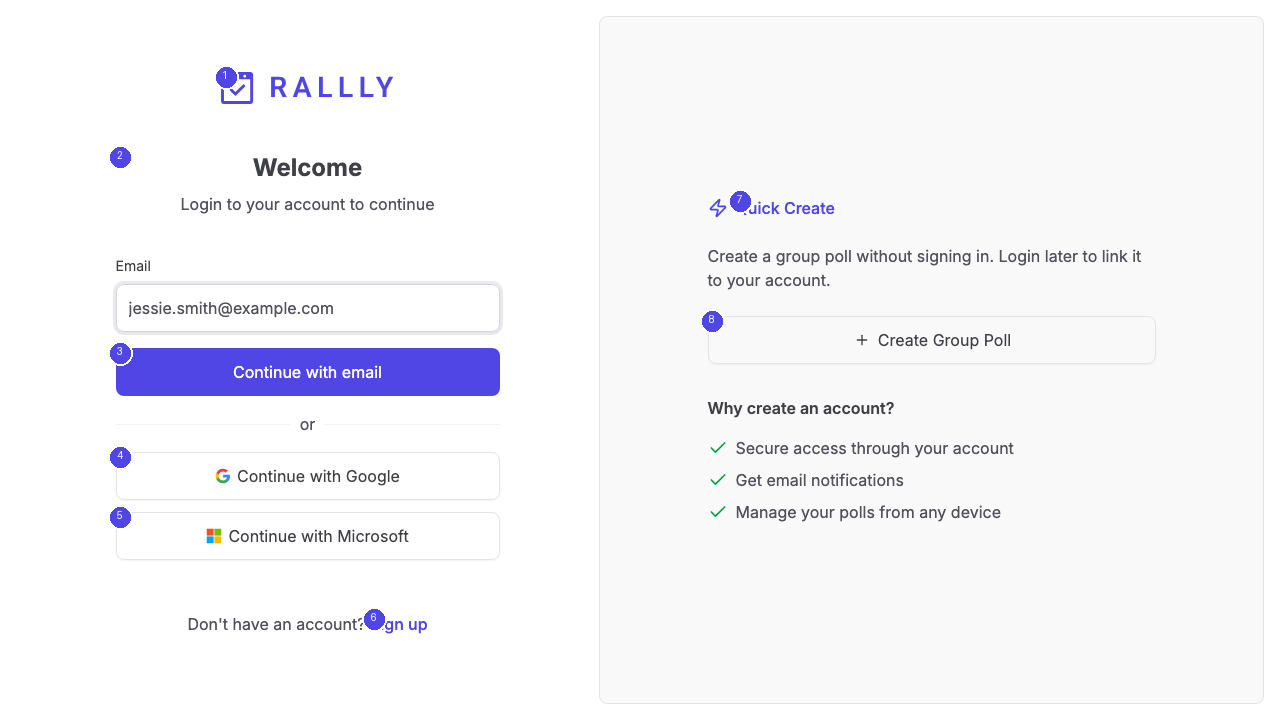
The login page displays a Welcome heading [2] with multiple authentication options:
- Continue with email [3] — Enter your email address to receive a magic link. Click the link in your inbox to sign in without a password.
- Continue with Google [4] — Sign in using your Google account
- Continue with Microsoft [5] — Sign in using your Microsoft account
If you do not have an account yet, click the Sign up link [6] to create one.
The right side of the login page shows the Quick Create option [7], allowing you to create a group poll [8] without signing in first.
Creating an Account
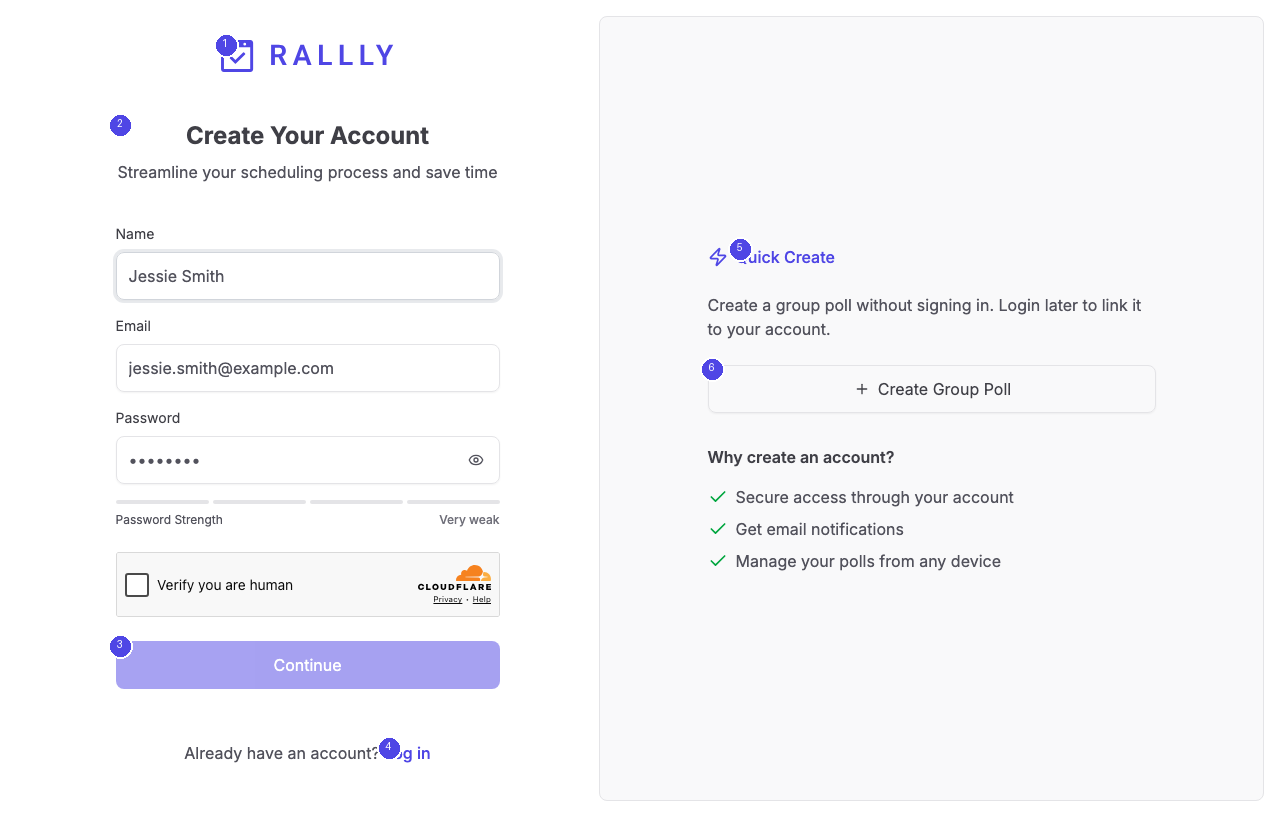
The registration page asks for your name and email address. Fill in both fields and click Continue [3] to proceed.
You can also create your account through Google or Microsoft by clicking the respective social login buttons. This pre-fills your name and email from your social account.
Already have an account? Click the Log in link [4] to switch to the login page.
Magic Link Authentication
Rallly uses magic link authentication for email-based login. Instead of setting a password, you receive a one-time login link via email each time you sign in. This approach eliminates the need to remember passwords while maintaining security.
After clicking your magic link, you are signed in and redirected to your dashboard where you can manage all your polls.