Appearance
Quick Create
Quick Create provides a streamlined way to set up a poll or event without going through the full creation form.
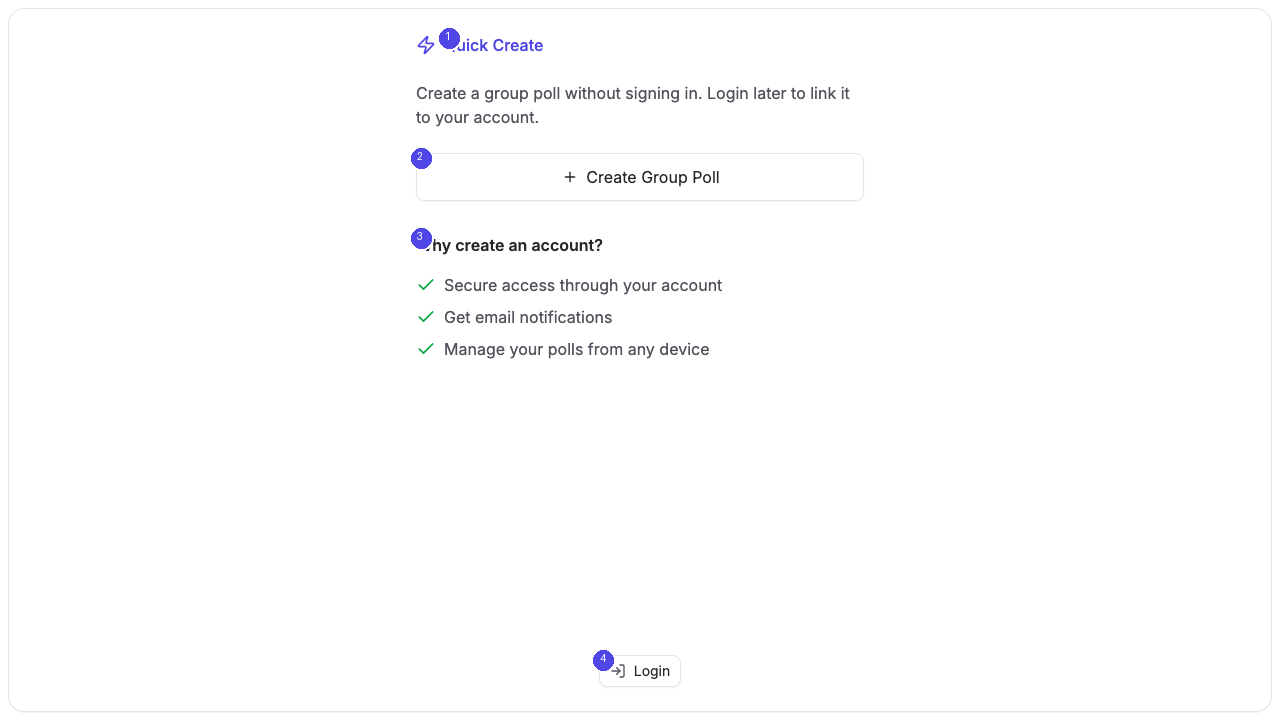
Accessing Quick Create
You can reach the Quick Create page from the login screen or by navigating directly to the Quick Create URL. The page presents a focused interface with minimal distractions.
Creating a Group Poll
Click the Create Group Poll button [2] to start building a scheduling poll. This takes you to the full poll creation form where you can add event details, select dates, and configure settings.
Why Create an Account?
The Quick Create page also explains the benefits of creating an account [3]:
- Dashboard access — View and manage all your polls in one place
- Email notifications — Get notified when participants vote or comment
- Poll management — Edit, close, or delete polls after creation
- Pro features — Access advanced options like hidden participants and calendar integration
If you already have an account, click Login [4] at the bottom of the page to sign in before creating your poll.